

Digital eye strain, read clearly
Most people in Indonesia move between a phone, a laptop, and a shared monitor all day. The discomfort that shows up by evening has a name, and this guide explains it in plain language.
Why screen discomfort shows up so often
Reading a screen is not the same as reading paper. You blink less often, your eyes hold a fixed near focus for long stretches, and glare from a window or an overhead light adds another layer of work. None of that is dangerous by itself, but the accumulation across a workday or a study session is what most people feel by evening.
In Indonesia the mix matters too. Many readers juggle a laptop for work, a phone for messaging, and a second screen for gaming or streaming, sometimes within the same hour. Switching between those near distances is part of why the eyes end the day tired rather than rested.
The main symptom groups to recognise
Digital eye strain rarely arrives as one clean symptom. It usually shows up as a cluster, and knowing the groups helps you describe what you are feeling, to yourself and to a doctor. If you only recognise one of these, you may not connect it to your screen time at all. That is the point of grouping them.
Blur during or after screen work that eases when you look away.
Extraocular Headaches, neck and shoulder painTension that builds through the day, from monitor height and posture.
That sense that your eyes need time to reset before they feel like your own again. It is the mildest group and the easiest to ignore.
Eyes that are dry and watery together
One of the most confusing patterns is having eyes that feel dry and scratchy but also water up. It sounds contradictory. It is not. When the tear film is unstable, the eye can overproduce reflex tears as an irritation response, and those tears do not lubricate the surface well. That is why watery eyes after screen use do not always mean your eyes are well hydrated.
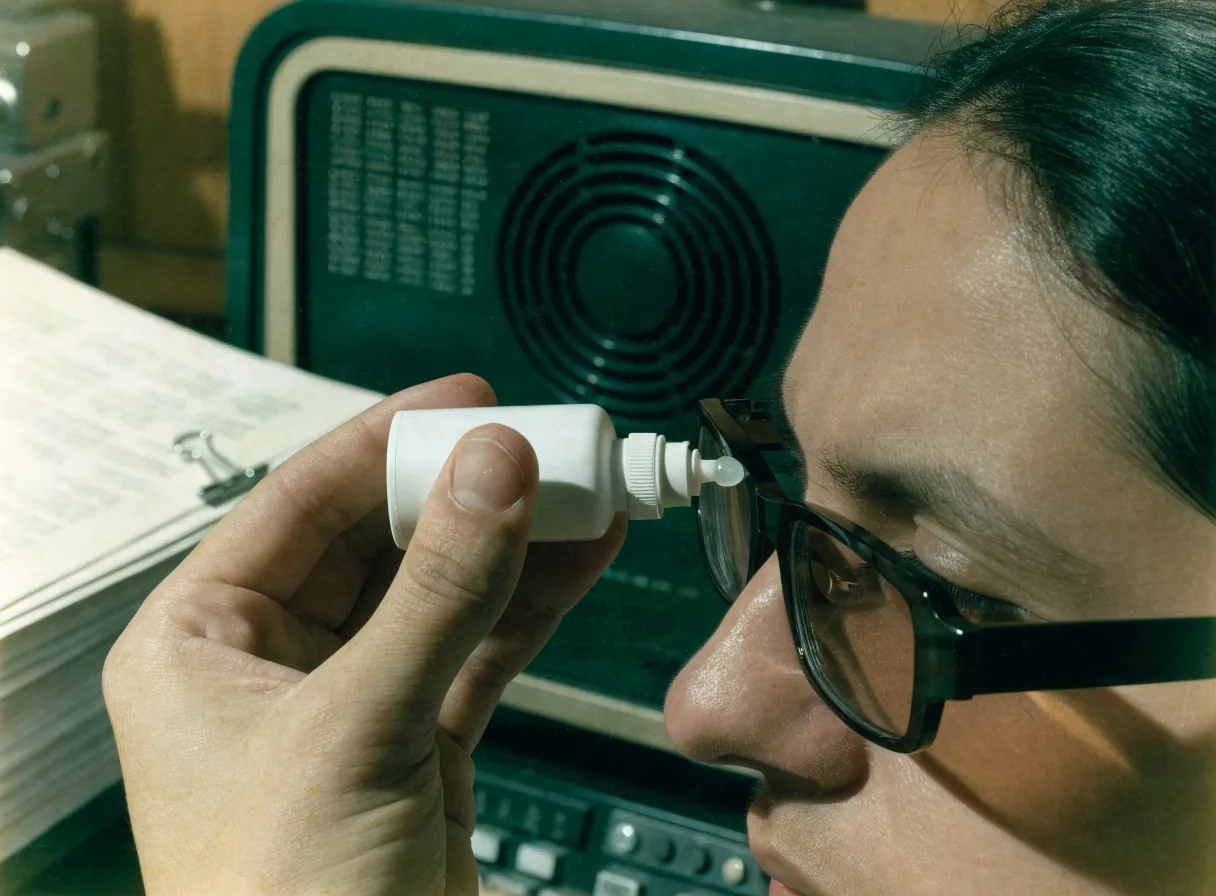
Preservative-free lubricating eye drops are a common supportive measure when dryness is present, and they are especially relevant for contact lens wearers. But drops relieve discomfort; they do not fix posture, workload, or a screen set at the wrong height. Treat them as one part of the routine, not the whole of it.
Check burning and watery eyesBlurred vision and slow focusing
Blurred vision during or after screen work is common and often temporary. Long near work keeps the focusing muscles contracted, so when you finally look across the room, the eyes take a moment to catch up. That delay is difficulty focusing, one of the most reported visual symptoms in digital eye strain, and it frequently travels with headaches. It usually eases with breaks.
If blurred vision persists after you have looked away and rested, though, that is a different conversation. It belongs with an eye care professional rather than a habit change, because the cause may sit outside screen fatigue altogether.
Blurred vision and focusing
When the problem is also your posture
Eyes and posture tend to fail together. If your monitor sits too low or too high, you will tilt your head to compensate, and that forward head position loads the neck and shoulders. That is why screen headaches rarely come alone, and why a single change to monitor height often takes the edge off both complaints at the same time.
Medical guidance groups neck pain with shoulder and back pain in screen-related strain because the causes overlap. The same session that dries your eyes also holds your body in one position. Fixing only the eyes, or only the chair, tends to leave half the problem in place. The page on headaches, neck and shoulder pain walks through the changes that tend to matter most.
Headaches, neck and shoulder painThe 20-20-20 rule, and why it is the default
The most widely repeated prevention tip is the 20-20-20 rule: every 20 minutes, take a 20-second break and look at something about 20 feet away. Major eye-care organizations recommend it because it is easy to remember and it interrupts the two things that cause most strain, fixed near focus and reduced blinking. It is not a cure, and it will not fix an ergonomic problem on its own. But as a baseline habit for office workers, students, and anyone driving long stretches with a screen-mounted phone, it is the simplest place to start.
Pause the near focus and let the blink reflex catch up.
Long enough for the eye muscles to release, not a full rest.
Across a room, not across the desk. Direction matters more than the exact number.
For long study or gaming sessions, adding one longer break every hour or so tends to help more than trying to hold a perfect schedule.

Asthenopia: the term your doctor may use
If you look up your symptoms in a medical reference, you will likely meet the word asthenopia. It is the formal term for eyestrain, used in ophthalmology literature, and it covers eye ache, tired eyes, and discomfort during visual tasks. It is not a different condition from what this site describes; it is the clinical label for the everyday experience.
Knowing the word helps when you are reading a discharge note or trying to describe your symptoms precisely at an appointment. The asthenopia page translates the term back into plain language and shows where the everyday experience and the clinical definition line up.
Asthenopia, in plain languageLight sensitivity and glare
Light sensitivity, or a sense that bright light is more uncomfortable than it used to be, is another symptom worth tracking. Glare from a window behind your screen, a glossy monitor, or an overhead fluorescent light can force your eyes to work harder to read the same text. Rotating the screen, repositioning a desk lamp, or closing a blind often does more for comfort than any setting buried in a menu.
If light sensitivity is severe, sudden, or comes with pain, treat it as a reason to seek care, not a habit to adjust.
What blue light settings actually do
Blue light filter modes are everywhere, and readers ask about them constantly. The honest answer is that they mainly change color temperature, which some people find more comfortable in the evening, and they do not address blinking, focus, or posture. There is no evidence this site can point to that they resolve digital eye strain symptoms on their own.
They can be part of a routine, but they are not the routine. If you have tried one and nothing changed, that is a normal result, not a sign you did it wrong.
Written for readers in Indonesia
Future Sight Guide is written for readers in Indonesia who work, study, game, or drive with screens and want practical explanations rather than a diagnosis. That means office workers on eight-hour monitor days, students on phones late into the night, drivers using mounted screens, and parents trying to make sense of a teenager's complaints.
The guidance here is educational. It describes common patterns and everyday measures. It does not replace an eye exam, and it will not tell you what is wrong with your specific eyes. Where a question needs a clinician, the pages say so plainly rather than guessing.
Where to start reading
If you are not sure which symptom is yours, the symptom overview is the natural first stop. Each page below stands alone, so you can jump to the one that matches what you are feeling right now.
What this site does not cover
It is worth being clear about limits. This site does not diagnose conditions, does not prescribe treatment, and does not sell anything. It will not tell you whether your headaches are from screens or something else, and it will not replace a refraction test or a dry-eye assessment.
What it does is explain the symptom set, translate the medical vocabulary, and describe the habits that eye-care organizations commonly recommend. If your symptoms are persistent, worsening, or come with pain or vision changes, the right next step is an appointment, not another article.
Jl. Jenderal Sudirman No. 52, Jakarta 12190, Indonesia
Monday to Friday, 9:00 AM – 6:00 PM
ContactQuestions readers send us
Why do my eyes feel dry and watery at the same time after using a screen?
Reduced blinking during screen use makes the tear film unstable. The eye responds with reflex tears that do not lubricate well, so you get dryness and watering together. Preservative-free lubricating drops are a common comfort measure, but breaks and blinking matter too.
Is blurred vision from phones or laptops always digital eye strain?
Not always. Blurred vision that appears during or right after long near work and clears when you look away is commonly part of digital eye strain. Blurred vision that persists after rest, or that comes and goes on its own, should be checked by an eye care professional.
What symptoms mean I should stop self-treating and see an eye doctor?
Persistent or worsening blurred vision, eye pain, sudden light sensitivity, double vision that does not resolve, or headaches that do not ease with breaks are all reasons to book an appointment. Habit changes help with comfort, not with diagnosing a cause.
Can headaches, neck pain, and shoulder pain really come from screen use?
Yes. A monitor set too low or too high encourages forward head posture, which loads the neck and shoulders, and the same session that strains the eyes also holds the body in one position. That is why the symptoms often appear as a group.
Do blue light settings actually help with eye strain symptoms?
They change screen color temperature, which some people find more comfortable in the evening. They do not address blinking, fixed near focus, or posture, so they work as one small part of a routine rather than a solution.
How often should I rest my eyes during work or study sessions?
The 20-20-20 rule is the common baseline: every 20 minutes, look about 20 feet away for 20 seconds. For long study or gaming sessions, adding a longer break every hour or so helps more than trying to hold one perfect schedule.

Persistent symptoms belong with a clinician
Habit changes help with comfort. They do not diagnose a cause. Persistent or worsening blurred vision, eye pain, sudden light sensitivity, or headaches that do not ease with breaks are all reasons to book an appointment, and the guide keeps that boundary visible instead of skipping past it.